
Tap the widget
Start from the Home Screen widget, Lock Screen, Control Center or Quick Settings — no need to open the app.
SpendSpeak is the fastest way to track your spending. Tap once, say what you spent — and the amount, currency, category and date are saved for you. No typing. No forms. No account.
How it works
Start from the Home Screen widget, Lock Screen, Control Center or Quick Settings — no need to open the app.
“120 dirhams for petrol”, “Netflix subscription”, “25 coffee and 70 taxi”. Speak naturally, in your language.
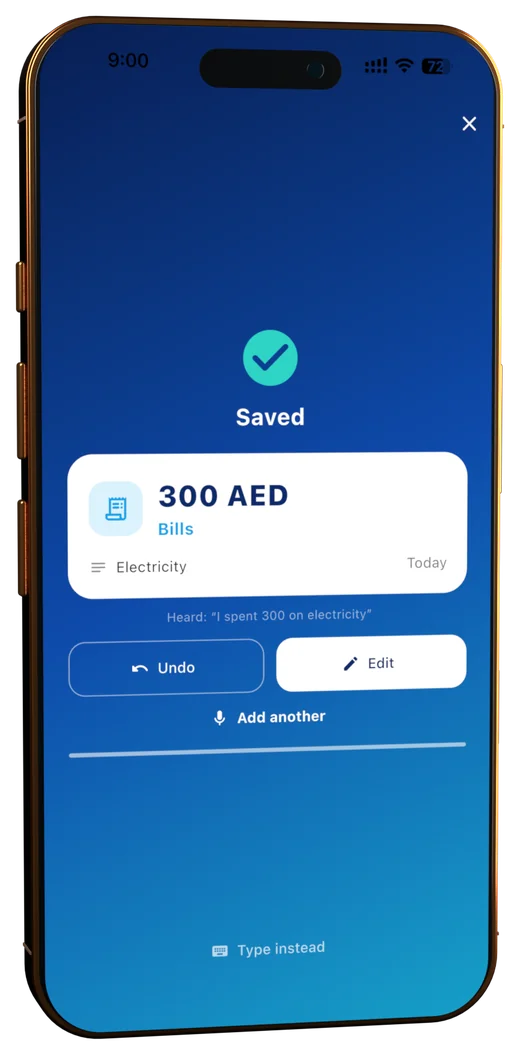
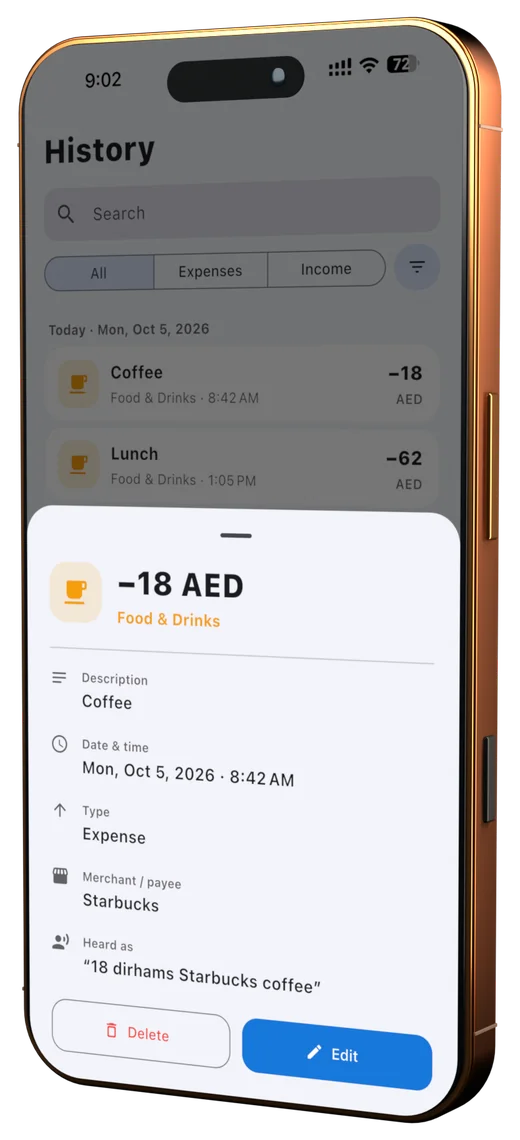
Amount, currency, category and date are recognised instantly. Undo or edit with a tap — or just say “actually it was 85”.
Natural language
Spoken numbers, slang, “yesterday”, “last Friday”, “two grand”, several expenses in one breath — SpendSpeak turns it into clean, structured data.
Features
English, Russian, Arabic and Chinese with accents and spoken numbers. Fix things by voice: “delete the last one”.
25+ built-in categories. Say something new and SpendSpeak creates a well-named category — and learns from your corrections.
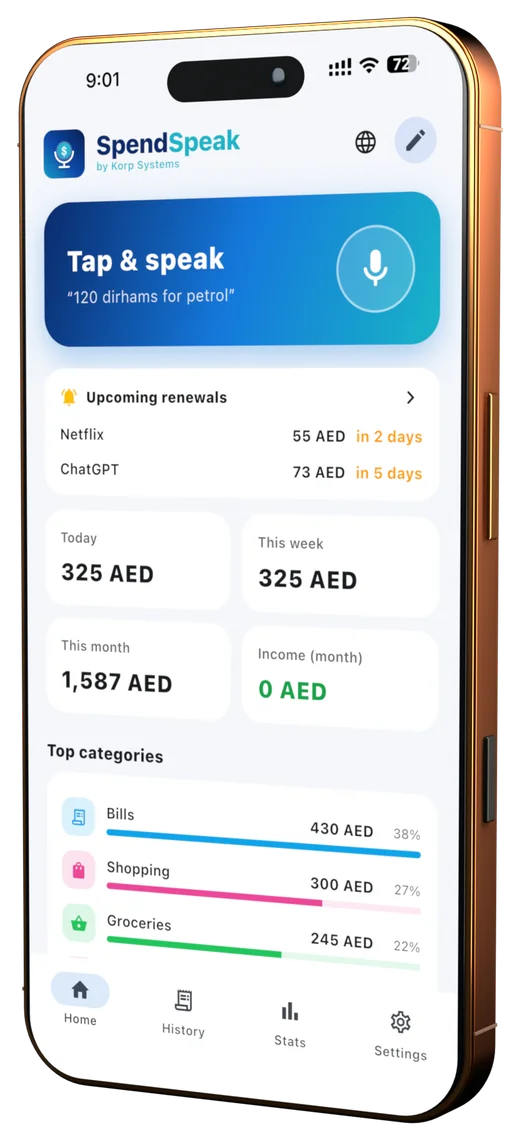
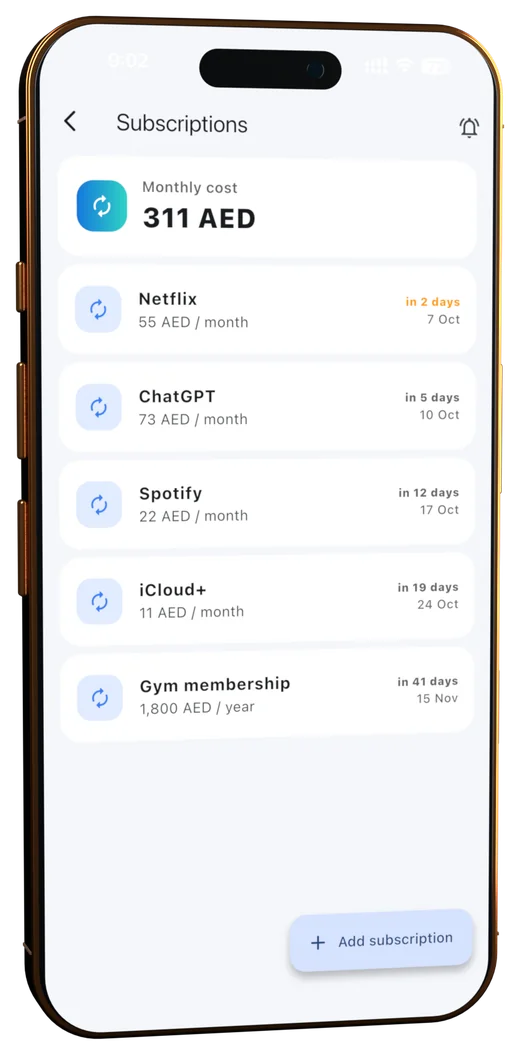
Say “Netflix subscription” and get reminded before it renews, so you can cancel in time. See your monthly subscription cost.
Recognised by name — “155 dollars”, “500 рублей”. Optional daily exchange rates show everything in one currency.
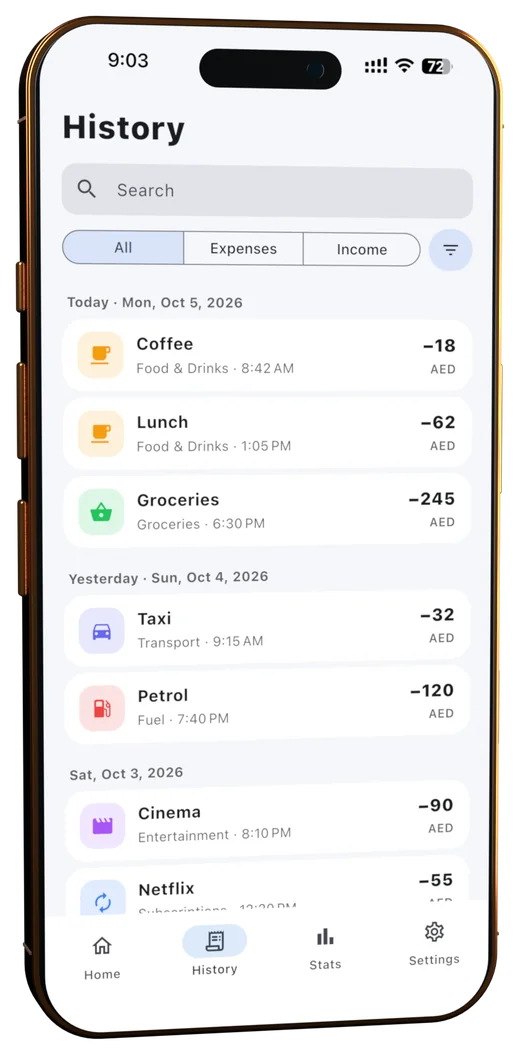
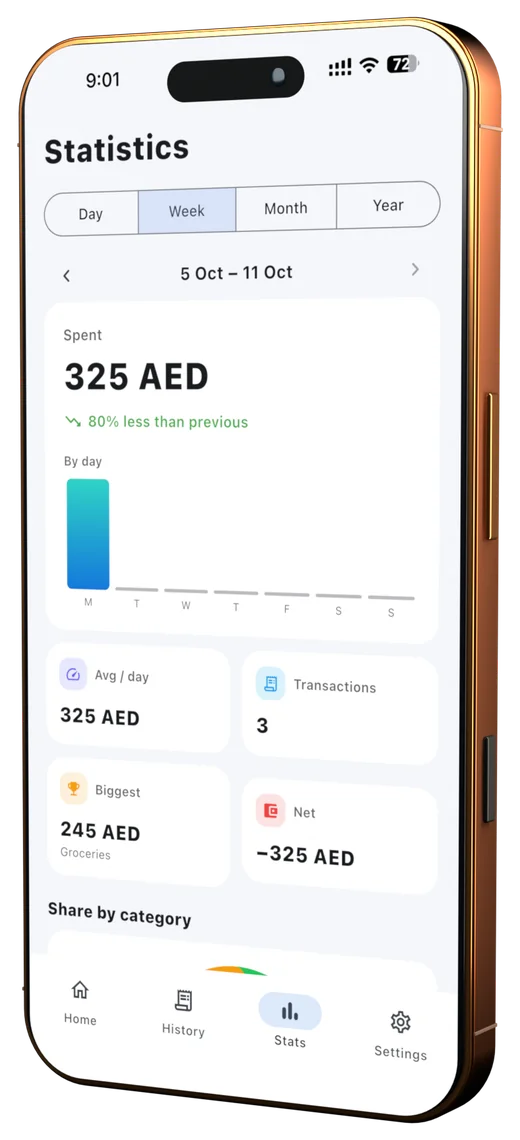
Day, week, month and year views, category charts, averages, your biggest expense and net balance at a glance.
Home & Lock Screen widgets and a Control Center control on iPhone; Quick Settings tile and background recording on Android.
Inside the app
Private by design
SpendSpeak is local-first. Your expenses live on your phone — not on our servers. We don’t even have servers for your data.
Read the privacy policy →FAQ
SpendSpeak is a voice-first expense tracker for Android and iPhone. You tap once, say what you spent — for example “45 dollars coffee” — and the app saves a structured expense with the amount, currency, category and date.
No. Tap the microphone on the SpendSpeak widget on your Home Screen or Lock Screen (iPhone and Android), say what you spent, and it is saved. You can also use the Control Center control on iPhone or the Quick Settings tile on Android.
Yes. SpendSpeak is free to download on Google Play, with no ads and no account required.
The iPhone version is currently in App Store review and will be available soon. The Android version is available now on Google Play.
English, Russian, Arabic and Chinese — including spoken numbers, relative dates like “yesterday” or “last Friday”, and several expenses in one sentence.
Yes. Expense parsing runs on your device and your data is stored locally. On Android, speech recognition also runs fully on-device after a one-time model download.
No. Audio is converted to text and immediately discarded. SpendSpeak never saves recordings, and your expenses never leave your phone unless you export them.
Yes. Say “Netflix subscription” and SpendSpeak tracks it, shows your total monthly subscription cost and reminds you before each renewal.
45 currencies are recognised by name, with optional daily exchange rates to see all spending in your main currency.
Download SpendSpeak free on Google Play. The iPhone version is in App Store review and arrives soon.